Service Call
Tell us about your device and issue — we’ll schedule a technicianHow to place a service call Click to learn more
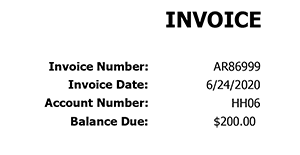
Enter your equipment tag or account number, describe the problem, and submit. Prefer not to look up a device? Use the form without an ID.
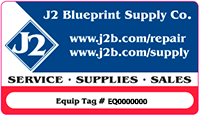
- Find your device (EQ # on the label, or account number).
- Enter your contact info and a short description of the issue.
- Review and submit — save your call number for support.
Questions? help@j2b.com · 360-696-1861
Find your equipment
Enter either an equipment tag or an account number (not both).
Where is the EQ number?
Where is the account number?